

Collect dues without the WhatsApp chase.
Members pay from their phone into your organization's own account. Your treasurer confirms with one tap, and everyone can see who has paid. DuesFam keeps the record — it never holds the money.
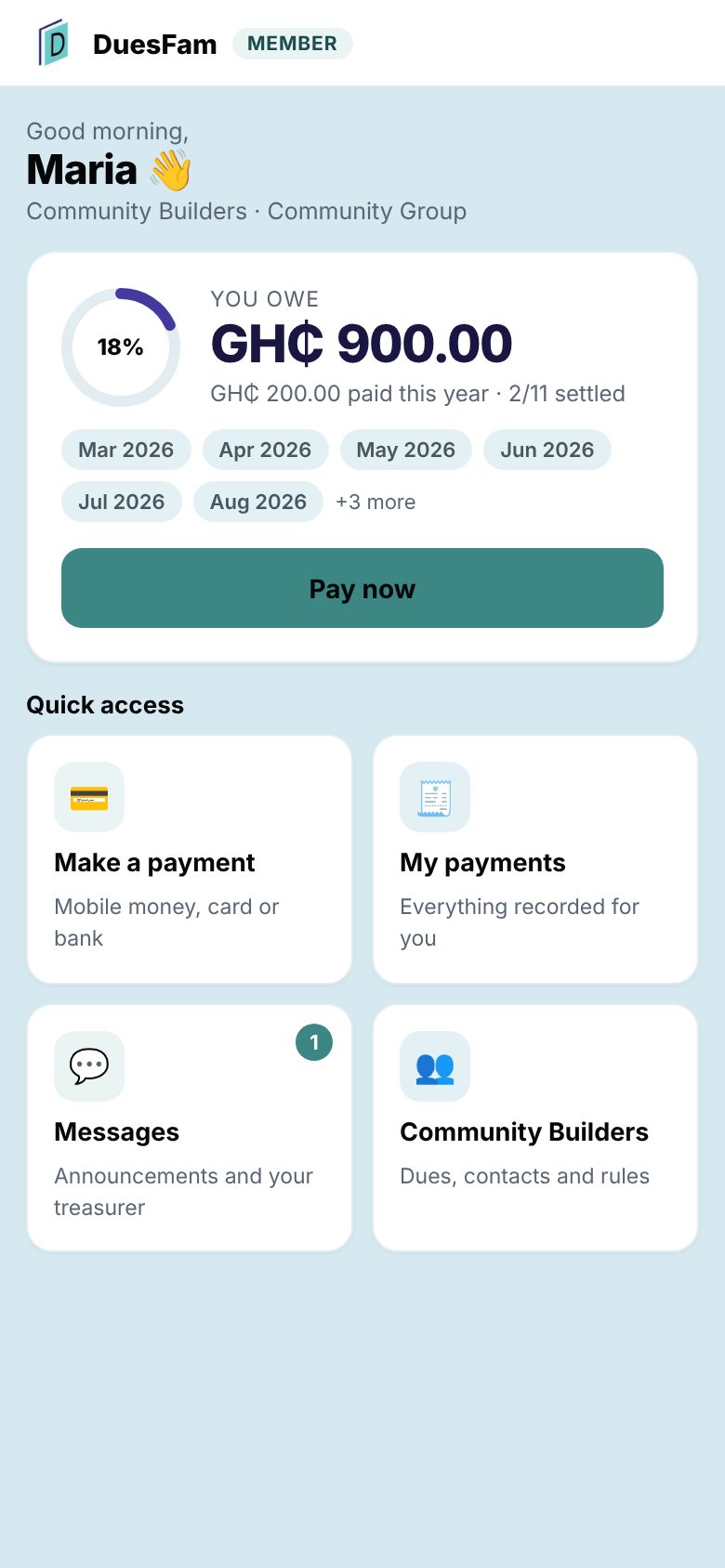
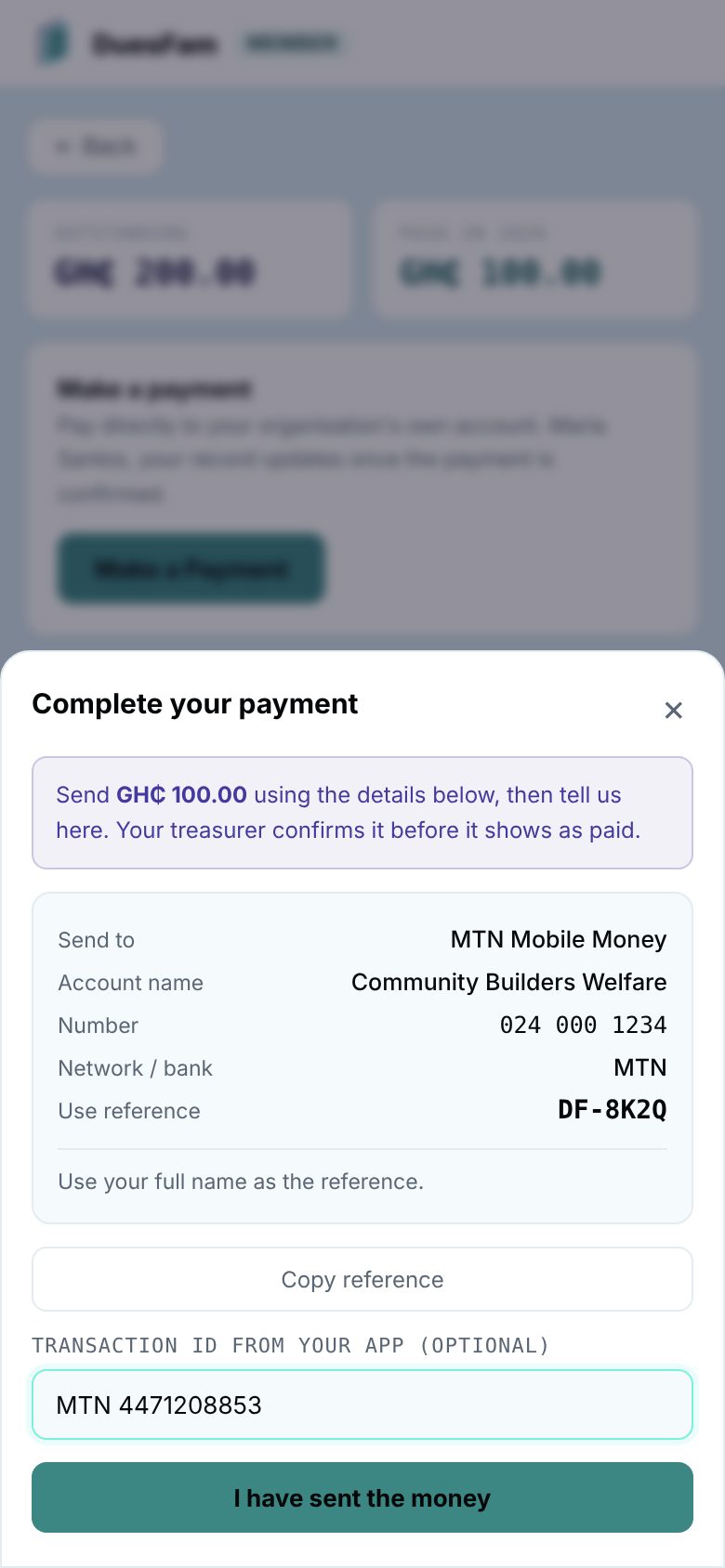
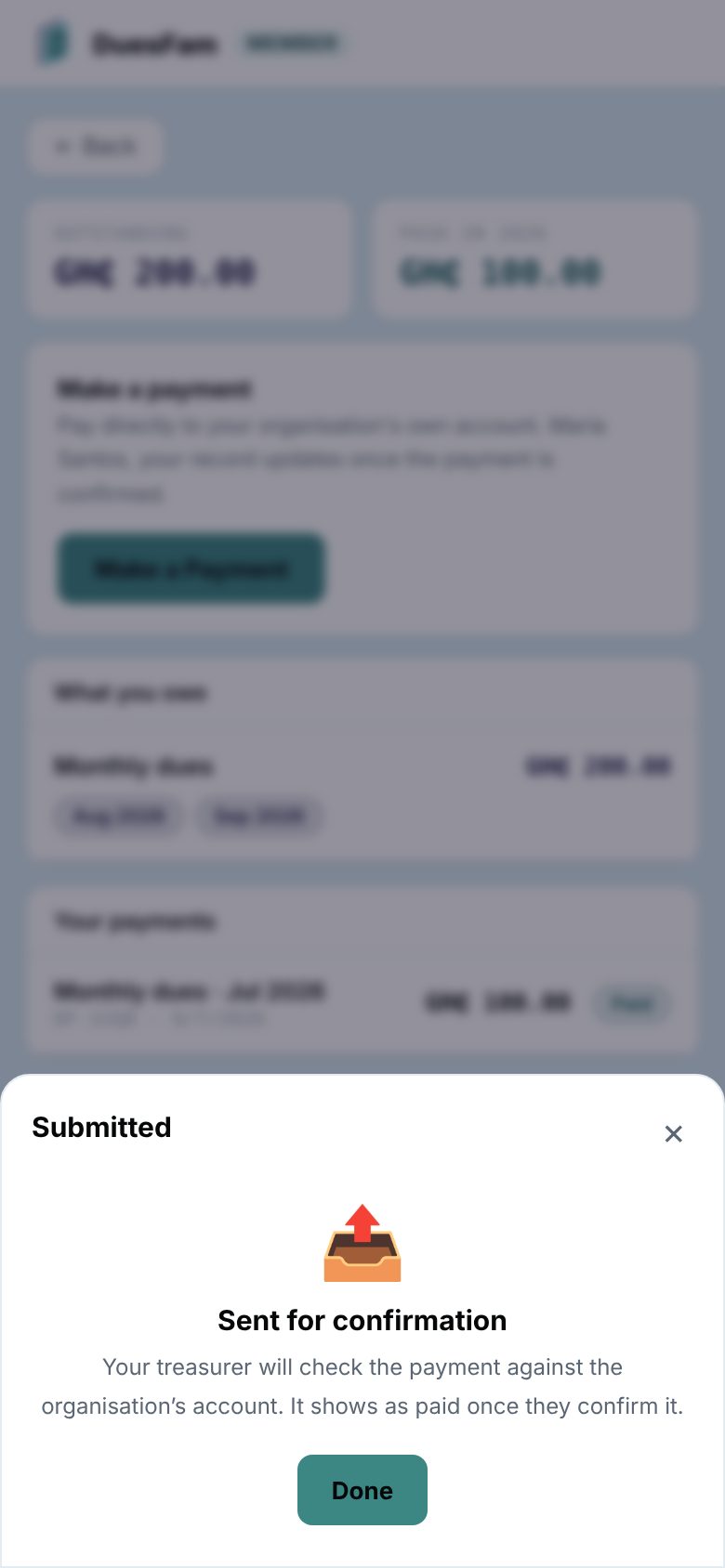
- 1Maria pays by MoMoStraight to the group's own account
- 2The treasurer is notifiedOn their phone, in seconds
- 3Confirmed and recordedMaria gets her receipt
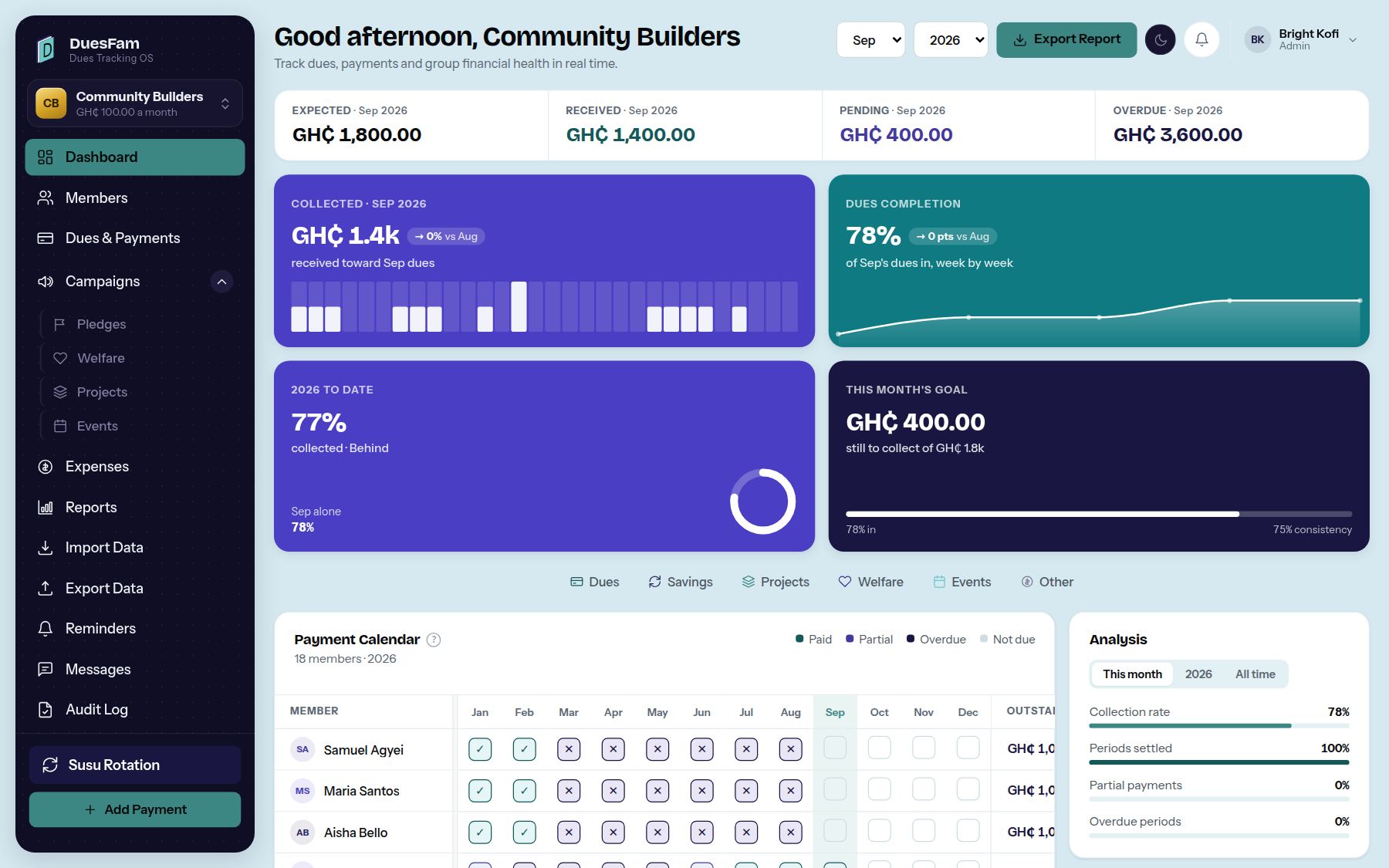
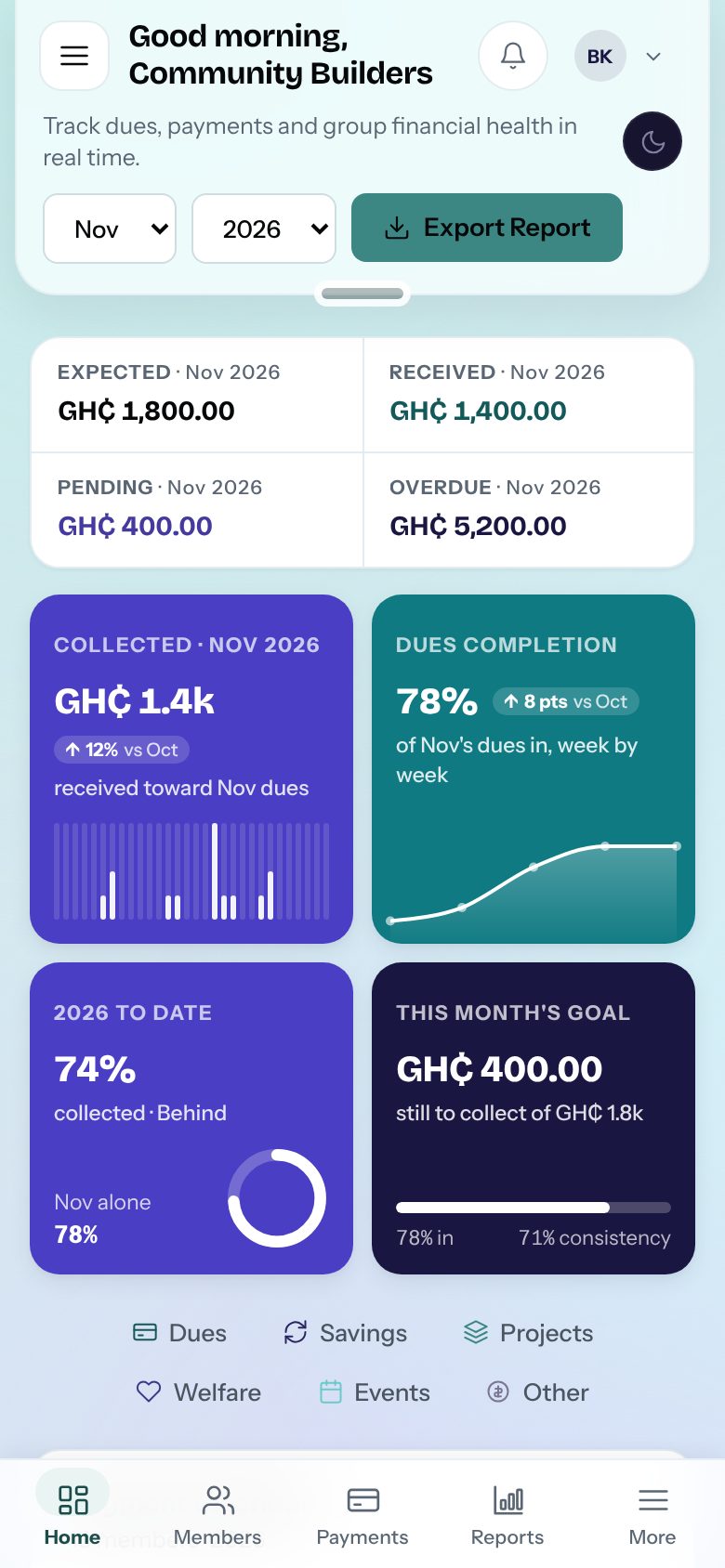
Know where every member stands.
The dashboard works it out from every payment recorded: expected, received, pending and overdue — for the month, and member by member.

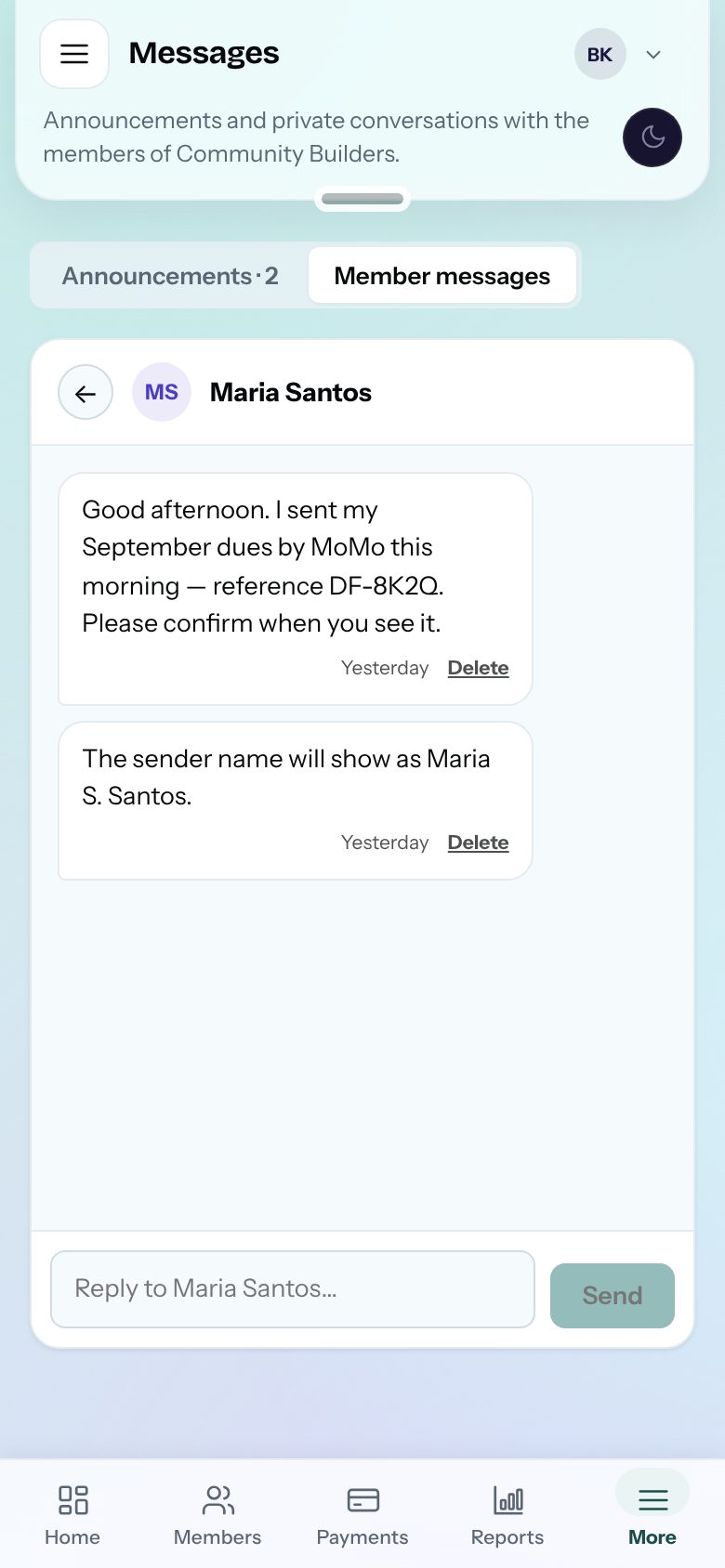
Talk to members without the group chat.
Post an announcement once and everyone sees it. Each member has one private conversation with the committee — and nobody's phone number ends up in a 300-person chat.
Everything the treasurer does, in one place your members can see.
No more notebook, spreadsheet, bank app and group chat that never agree. Tap any card to see it in the real app.
Walk through a month of DuesFam, step by step.
The real app, with sample data. Follow the highlight, or jump to the part you care about.
WhatsApp and spreadsheets, or one system of record.
What actually changes when the organization stops tracking money in a group chat.
For the groups that keep a community together.
Wherever members pay dues and someone keeps the book, DuesFam keeps it straight.








Illustrative photography.
Try everything free for 30 days. Then choose.
One flat monthly price per account, in Ghana Cedis — not per member. DuesFam never holds your organization's money: members pay into your own account.
Sign up with Google or email. No card, nothing to cancel.
Bring members in, take payments online, post announcements. The sidebar shows the days left.
Nothing is charged unless you choose a plan. Everything you recorded stays.
FREE PLAN
PRO PLAN
PREMIUM PLAN
Questions people ask before signing up.
Still unsure? Every new account gets 30 days of Pro — no card. Afterwards, carry on Free or choose a plan.
Talk to us→No. DuesFam never touches, holds or moves your organization's money. When members pay online, the payment goes straight into your organization's own Mobile Money, bank or payment-gateway account. DuesFam keeps the record of it. We recommend a dedicated organization account rather than someone's personal number.
Every new account starts on Pro for 30 days — no card, nothing to cancel. The sidebar shows how many days are left. When the trial ends you choose: pay for Pro, or carry on with the Free plan. Nothing is charged unless you pick a plan, and everything you recorded stays.
From their member portal, on their phone. They choose what they're paying for and how — Mobile Money, bank transfer, or card if you've connected your own Paystack, Flutterwave, Stripe or PayPal account. For MoMo and bank they send the money, then tap "I have sent the money". Your treasurer is notified, checks the statement and confirms. Card payments through your gateway are recorded automatically. Treasurers can still log cash and other payments by hand.
Share one signup link in your WhatsApp group. Each person fills in their own name, phone and email — nobody is added until an admin approves them. Approved members get a personal link to their portal — by email if they gave one, and the admin can send it on WhatsApp in one tap.
No. A member sees only their own payments and balance. Admins, Treasurers and Auditors can see all members, and an Auditor can see everything but change nothing. You choose who holds each role.
Yes. Post an announcement once and every member sees it in their portal, with a notification on their phone if they've switched them on. Each member also has a private conversation with the people who run the group. Anyone can delete their own messages, and admins can remove anything posted by mistake.
Yes. Treasurers are alerted when a payment is waiting, someone joins or a member writes. Members are told when their payment is confirmed and when there's an announcement. On Android it works in the browser; on iPhone, add DuesFam to your Home Screen first, then switch notifications on.
Yes. Data is stored with an established cloud database provider, encrypted in transit and at rest, with row-level security so each organization only ever reaches its own records. Payment-gateway secret keys are kept on the server and never sent to a browser.
Yes. Photograph a handwritten ledger, upload a spreadsheet or paste a list. DuesFam reads it and shows you every member, month and amount to check before anything is saved.
Yes, any time: a formatted Excel workbook with members, payment log, year tracker and more.
Yes — it's built for phones first, for treasurers and members alike, and installs on the home screen like an app.
Yes. The Susu rotation tracker keeps the payout order, records who has received the pot, and shows who is next.
Get in touch
Have a question or want to partner? We'd love to hear from you.
Start running your dues the easy way.
Members pay from their phone, the treasurer confirms in one tap, and the whole committee sees the same record. Try all of it free for 30 days — no card.